





The fastest way
to a better company
One place to keep your team aligned, accountable and productive — with the knowledge, meetings, goals, and feedback that turns work into wins.

Driving Continuous Improvement and Innovation for an Apartment Marketing Platform
"Imagine having all our processes and operations neatly documented and easily accessible — that’s what Trainual has made possible."
10,000+ teams use Trainual to power productivity and learning












More doing. Less digging.
Train people from day one — and every day after
Get new hires up to speed on their role, then keep training going as responsibilities, processes, and priorities change. No starting over every time someone takes on something new.

Get the right answer on the first try, not the fifth tab
Put how your team actually works in one searchable place, so people can find what they need without digging through old docs, outdated wikis, Slack threads, and three different versions of “the final.”
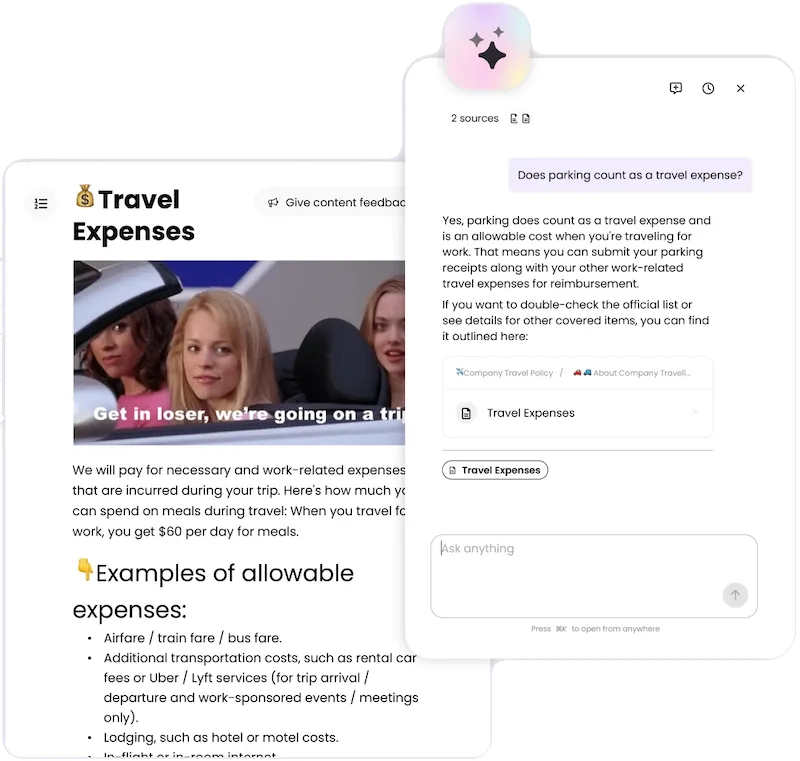

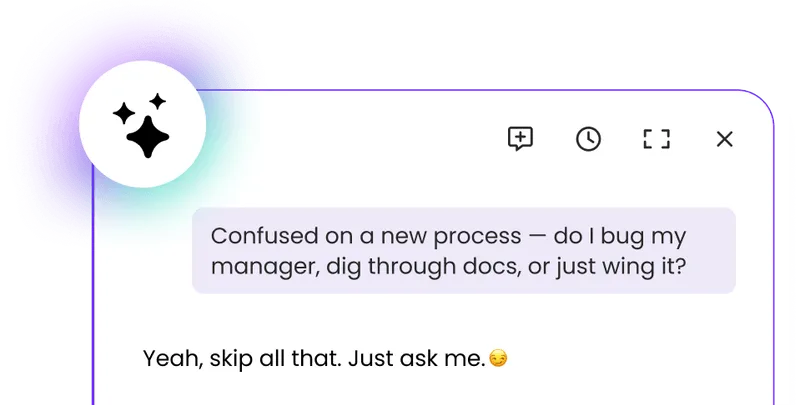
Your team asks. Trainual answers and writes the doc.
Instantly answer any question from across your Trainual content and connected sources like your Drive, then draft the missing docs based on what your team actually searches for, so the repeat questions stop coming.
One team. Fewer tools. A lot more accountability.
Turn meetings, goals, metrics, and team updates into clear next steps, owners, and follow-through — without you having to keep everyone honest.
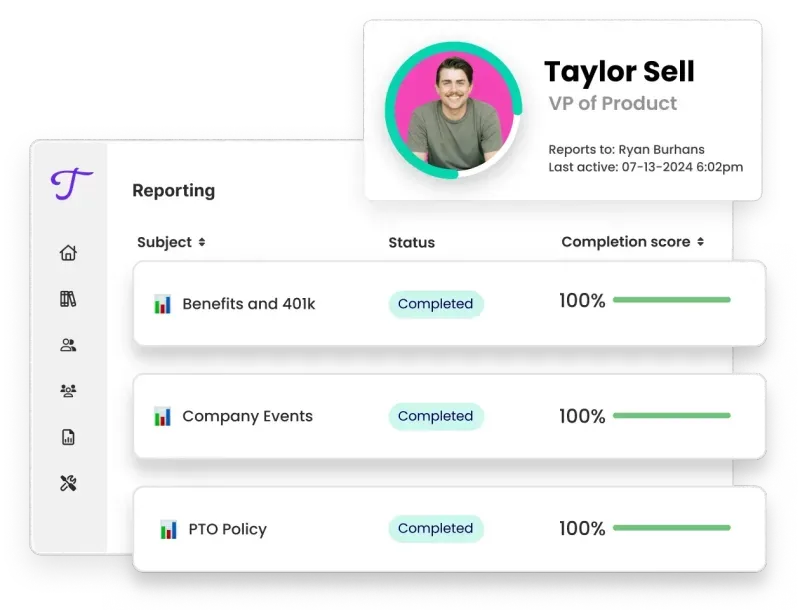
- Meetings that end with owners, not just notes. Decisions and action items leave with a name attached, then roll forward until they’re done. So next week’s meeting isn’t a rerun of this week’s.
- Goals that stick, and the scorecards to track them. Set targets, keep them visible, and watch the numbers that matter, so everyone knows what's on track and what needs attention.
- Updates without the status meeting. Recurring check-ins let your team share progress on their own time, so you know what’s moving and what needs attention — no “quick sync?” required.
- Connect what you teach to what actually happens. Keep training and operations together, so the way you document a process connects to how your team puts it into practice.
Resources for you









Frequently asked questions
Trainual is both a knowledge base and a training platform, which is why teams usually arrive looking for one and stay for the other. A traditional LMS assigns courses and tracks completion, but it's a poor place to look something up mid-task. A wiki is searchable, but nothing gets assigned, nothing gets tracked, and nobody knows whether it was read. Trainual assigns and tracks like an LMS and answers questions on demand like a knowledge base, both from the same documented content.
Notion and Confluence store documentation well, but they don't assign it, track completion, or prompt anyone to revisit it. That gap is why documentation in a general-purpose workspace tends to be accurate the day it's written and unreliable a year later. Trainual adds assignment by role, completion and testing records, and scheduled review that asks an owner whether a process is still correct. Plenty of companies keep both, using the workspace for collaborative drafts and Trainual for what people are accountable for knowing.
Trainual shortens ramp time by giving each role its own documented path instead of a shared folder and a few weeks of shadowing. A new AE gets your qualification criteria, CRM hygiene rules, and demo structure; a support rep gets your escalation ladder and tone standards; neither sits through the other's material. Because everything is assigned and tracked, a manager can see how far someone has gotten without asking, and the new hire can re-read step four in week three, when it finally matters.
Documented process stays with the company when the person who built it leaves, which is the whole reason to write it down before you need it. Trainual holds how each role actually operates — the recurring tasks, the exceptions, and the reasoning behind decisions — so a replacement or an interim owner inherits more than a login list and a calendar. The useful test is whether someone else could run a role for two weeks on what's documented today. For most teams the answer is no, and the fix is unglamorous: document it while the person is still there.
Trainual keeps documentation from going stale by giving each process an owner and prompting that owner on a schedule to confirm it's still accurate. Stale content is the failure mode of every wiki and shared drive, because nothing decays visibly — nobody notices until a new hire follows a step that stopped being true months ago. Scheduled review turns maintenance into a recurring task with a name attached, instead of a project everyone assumes someone else is handling.
Document onboarding for the role you hire most often first, because it's the process you repeat most and the one where gaps cost the most time. Next, document the questions you personally answer more than twice — those are the interruptions with the highest return. Then the processes only one person knows how to run, since those are the real risk. Policy and handbook material can wait; it's the easiest to find elsewhere and the least likely to be urgent.
Trainual is built for teams that aren't in the same room, so onboarding, process, and answers don't depend on someone being available to ask. A new hire three time zones away works through the same path as everyone else, and the AI assistant answers from your documentation instead of making them wait for a colleague to come online. For distributed teams the real gain is asynchronous: far fewer questions that block until morning.
Trainual is best suited for companies with 25 - 1000 employees. We do, however, have some companies using and loving Trainual with thousands of folks on board, so it really comes down to your use case! Book a call to discuss plans and options for your specific needs and size.
Yes! Trainual connects with tons of popular tools to streamline onboarding and training — without forcing you to reinvent your workflow.
You can sync your HRIS and payroll platforms like Gusto, BambooHR, and Zenefits to automatically add new hires and keep your employee directory up to date.
With single sign-on (SSO) support, your team can log in securely using tools you already trust — like Google, Okta, or Microsoft Entra.
And with Zapier or webhooks, you can automate tasks between Trainual and thousands of other apps in your stack.
Yes! Trainual is built with enterprise-grade security to ensure your company’s data is safe, private, and fully protected.
All data is encrypted in transit and at rest, and stored on PCI Level 1 compliant servers with daily automated backups. Our infrastructure is hosted on Google Cloud Storage (GCS), known for its top-tier security protocols.
You can further secure access with single sign-on (SSO) through providers like Okta and Microsoft Entra, helping you manage identity and authentication more efficiently.
Trainual is also SOC 2 Type 2 certified. When you move forward with an Enterprise plan, you can request access to all SOC 2 documentation. We follow best practices for data privacy and protection, and continue to enhance our security posture.
Learn more about our security practices in this help center article.
Every new customer receives dedicated implementation support to ensure a smooth and successful rollout. You'll be paired with an experienced implementation specialist who collaborates with your key stakeholders over your first 4–6 weeks.
This hands-on service includes:
- Migrating and organizing your existing content
- Structuring your Trainual account for optimal usability
- Building a tailored rollout plan based on your goals
- Accelerating adoption with expert-led guidance
Our goal is to get your team confidently up and running — faster, and with less friction.
A one-time implementation fee of $1,000 applies.