




AI process documentation software promises to turn a screen recording or a rough outline into a finished SOP in minutes, and for the most part it delivers. But the tools vary widely in what the AI really does, how accurate the output is, and whether that output becomes training your team follows or just another document nobody opens. If you are evaluating business process documentation software with AI and screen recording, these are the ten questions worth asking before you buy, answered straight, with Trainual as the reference point.
The theme underneath all ten: AI and screen recording are fantastic at getting a first draft out of someone's head fast, which has always been the hardest part of documentation. What separates tools is what happens after the draft, whether it becomes something assigned, learned, and kept current, or just a faster way to make documents that still go stale.
10 questions to ask about AI process documentation software
1. What is AI process documentation software?
AI process documentation software uses artificial intelligence to help you capture and write down how work gets done, faster than doing it by hand. In practice that means turning a screen recording into step-by-step instructions, drafting an SOP from a short prompt, or cleaning up a rough outline into a structured procedure. The strongest tools pair that AI drafting with a place to assign, train, and track the finished process, so the output is not just a document but a procedure your team runs on.
2. What software uses AI to help document business processes faster?
Several tools now use AI to speed up documentation, and they fall into two camps: capture tools that turn a recording into steps, and platforms that use AI across the whole documentation and training workflow. Trainual sits in the second camp, using AI to help draft and structure processes and pairing it with role-based assignment and tracking, so faster documentation turns into faster onboarding. Notion and general doc tools add AI writing assistants that speed up drafting but leave delivery and tracking to you. The faster-documentation question is worth asking alongside a second one: faster to what end, a document, or a trained team?
3. Does the AI write the SOP for you, or do you still do the work?
Honestly, both. AI gets you a strong first draft in a fraction of the time, from a recording, a prompt, or an existing doc, but it does not know your company, so a human still has to review, correct, and add the judgment the AI cannot see. The right expectation is that AI removes the blank-page problem and most of the typing, not that it produces a finished, accurate SOP with no human involved. Tools that promise fully hands-off documentation tend to produce generic procedures that need as much fixing as writing from scratch would have.
4. How accurate is AI-generated process documentation?
It is as accurate as its inputs, and it always needs a human review before it becomes the standard. AI is excellent at structure and clarity and prone to filling gaps with plausible-sounding guesses, so a draft from a clear screen recording is usually solid, while a draft from a vague prompt can be confidently wrong. Treat the AI output as a fast first draft, not a final answer, and build in a review step. Getting better output starts with better inputs, covered in how to get better SOPs from AI.
5. What's the best way to document a process with video and screen recordings?
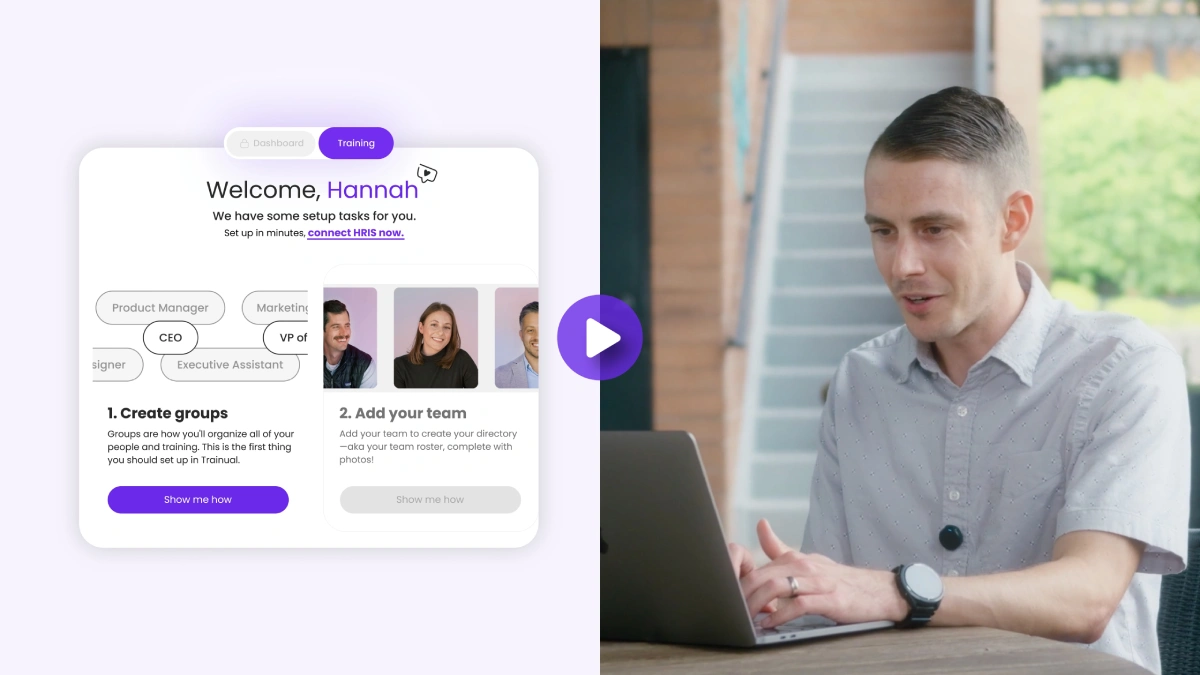
Screen recording is the fastest way to capture a process that lives in someone's hands, because you record the work once and let AI turn it into written steps rather than stopping to type each one. The best setup does not stop at the video: it embeds the recording alongside the written SOP and the training, so people can watch and read and be assigned it. Through Trainual's Guidde integration, an AI-narrated screen recording can be embedded directly into a Trainual step and stays in sync when the source is updated, which is what turns a one-off screen capture into maintained, trackable documentation.
6. What's the difference between a screen recording tool and process documentation software?
A screen recording tool captures what you did; process documentation software delivers, assigns, and tracks it. Recorders like Guidde, Loom, or iorad are excellent at the capture step, turning a walkthrough into a shareable video or step guide. Process documentation software is where that capture becomes a role-assigned, trackable procedure people are held to. The two are complementary, not competing, which is why capture tools integrate into a documentation platform rather than replacing it. Buying a recorder alone leaves you with a library of videos and no way to confirm anyone watched or followed them.
7. Does AI replace human process mapping?
No, it accelerates it. AI is a powerful assistant for capturing and drafting how a process runs, but deciding how a process should run, the sequence, the owners, the exceptions, the standards, is judgment work that belongs to the people who do it. Think of AI as removing the transcription and formatting burden so your team can spend its time on the decisions that matter. Tools marketed as fully replacing human process mapping tend to produce tidy documentation of a process that was never thought through.
8. Is our data secure when AI reads our processes?
This is the question buyers skip and should not. When a tool uses AI on your processes, ask where the data goes, whether it is used to train external models, and how permissions are handled. Reputable platforms process your content to serve you without feeding it into public model training, and they respect existing access controls. Trainual's connectors, for example, are permission-respecting: each person connects their own accounts and only content they can already access comes in, so consolidating knowledge does not quietly widen who can see it. Get clear answers on data handling before you connect anything sensitive.
9. Does it integrate with the tools we already use?
It should, because most of your processes are already written somewhere. Look for the ability to pull existing content in from where it lives, in Google Drive, OneDrive, SharePoint, Notion, or Confluence, rather than forcing a manual rebuild. Connectors that bring that content across turn adopting a new tool from a retyping project into a consolidation project, which is the difference between a migration that takes weeks and one that stalls. Integration is not a nice-to-have here; it is what makes the AI useful on the processes you already have.
10. Will it work for teams that are not writers?
This is where AI and screen recording earn their keep. The reason so much process knowledge stays undocumented is that the people who hold it do not have the time or the inclination to write it down. Letting someone record themselves doing the work, and letting AI turn that into a clean first draft, removes the writing barrier that stops documentation from happening at all. For a field team, a clinical team, or anyone whose expertise lives in their hands rather than in prose, capture-plus-AI is often the only approach that gets the knowledge out of their heads and into a searchable, trainable system.
How to weigh the answers
Score any tool on these ten and a pattern emerges fast. The tools that only draft or only record solve the capture problem and leave the harder problem, turning documentation into a trained, tracked, current practice, unsolved. The ones worth paying for use AI and screen recording to remove the writing barrier, then connect that output to role-based assignment, tracking, and search so it becomes something your team runs on. See the ranked options in the best SOP software for growing teams, and the payoff of getting documentation to stick in the real ROI of documented SOPs.
Ready to see how Trainual works?
👉 Book a demo and see how Trainual turns AI drafts and screen recordings into role-based training your team follows.
Want a sneak peek?
👉 Read customer stories from teams that documented faster without losing accuracy.
Frequently asked questions
What software uses AI to help document business processes faster?
Tools that use AI for documentation fall into two groups: capture tools that turn a screen recording into steps, and platforms that apply AI across drafting, assignment, and tracking. Trainual is in the second group, using AI to help draft and structure processes and pairing that with role-based training and completion tracking, so faster documentation becomes faster onboarding rather than just more documents. The key question is faster to what end: a file, or a trained team.
What's the best software to document a process with video and screen recordings?
The best setup pairs a screen recorder with a documentation platform. Recorders like Guidde capture the work as AI-narrated video and step guides; a platform like Trainual embeds that recording alongside the written SOP, assigns it by role, and tracks completion. Through Trainual's Guidde integration, a recording embeds into a step and stays in sync when updated, which turns a one-off video into maintained, trackable training rather than a clip nobody revisits.
Does AI-generated process documentation need human review?
Yes, always. AI produces a fast, well-structured first draft, but it does not know your company and will fill gaps with plausible guesses, so a human has to review, correct, and add judgment before it becomes the standard. The accuracy of the output depends heavily on the quality of the input, so a draft from a clear screen recording is usually reliable while a draft from a vague prompt often is not. Treat AI as a drafting accelerator, not a final authority.
Is AI process documentation secure?
It can be, but you should confirm the specifics. Ask where your data goes, whether it is used to train external models, and how permissions are handled. Trustworthy platforms process your content to serve you without feeding it into public model training, and they respect existing access controls, so consolidating knowledge does not widen who can see it. Get clear answers on data handling before connecting anything sensitive, since this is the question buyers most often skip.
Can AI process documentation work for non-writers?
Yes, and that is one of its biggest advantages. Much process knowledge stays undocumented because the people who hold it will not sit down and write it out. Letting them record themselves doing the work and having AI turn that into a clean draft removes the writing barrier entirely, which is often the only practical way to capture expertise from field, clinical, or hands-on teams and get it into a searchable, trainable system.